
The report and the invoice, done before you leave the driveway.
Tuesday, four houses. At each: work the list, photos from the camera, lock the door. Before you’re back in the truck the owner’s phone has buzzed: “checked Beach House today. All clear.” The visit is already on their bill.
Angie’s Home Watch checked Beach House today. All clear. Report: housematters.app/r/3f9…
Beach House home watch report · Sep 9
All clear: routine visit complete. View the full report
Everything’s in good shape. Ran the water in every bathroom, A/C holding at 78. The mail’s on the kitchen counter.
- All exterior doors and windows lockedDone
- No signs of entry or damageDone
- Roofline, gutters and soffitsDone
- Lanai screens and pool deckDone
- Landscaping and irrigationSprinklers ran at 6am, heads all turning.Done

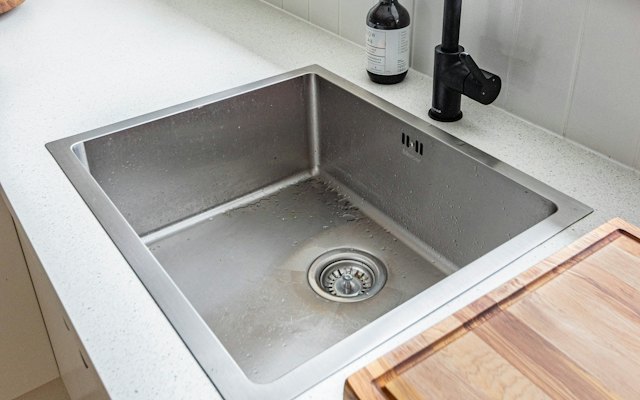
- Under sinks, around toiletsDone
- Water heater and shut-off valveDone
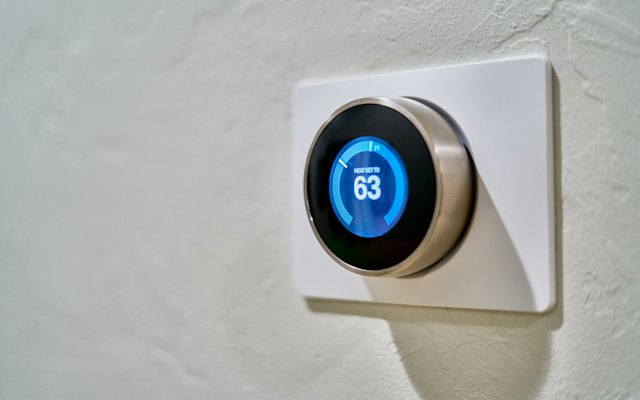
- Thermostat set, A/C runningDone
- Refrigerator running, no odorDone
- Breakers, GFCIs, exterior lightsDone
The report writes itself while you walk.
Check each item, take photos, and the report is finished when you are. The owner has it before you leave, and the visit is already on their bill.
A loose latch becomes a paid job.
You spot something on a visit. Take a photo, add a price, and the owner approves it in writing. No surprise in January.
If you fix things tooEvery extra gets billed.
Storm shutters, letting a contractor in, picking up the mail. Set a price for each once, and it is added to the owner’s invoice every time you do it.
You check the house. They read the report.
The same visit, two phones. Yours is the checklist you work through and photograph as you walk. Theirs is the report it becomes, under your name, the moment you lock the door. Scroll both.
Your side: the Beach House checklist, checked off as you walk. Save & send report closes the visit.
Everything’s in good shape. Ran the water in every bathroom, A/C holding at 78. The mail’s on the kitchen counter.
- All exterior doors and windows lockedDone
- No signs of entry or damageDone
- Roofline, gutters and soffitsDone
- Lanai screens and pool deckDone
- Landscaping and irrigationSprinklers ran at 6am, heads all turning.Done
- Under sinks, around toiletsDone
- Water heater and shut-off valveDone
- Thermostat set, A/C runningDone
- Refrigerator running, no odorDone
- Breakers, GFCIs, exterior lightsDone
What the owner opens: All clear, every photo, your notes, and the Pay button.
Every ask lands on your list. Nothing to dig out of your texts.
The owner’s guests mention the lanai screen door won’t latch. Sunday night the owner asks from their app, photo attached. Tuesday it’s on your Beach House checklist with their note, and when you check it off, their report says so.
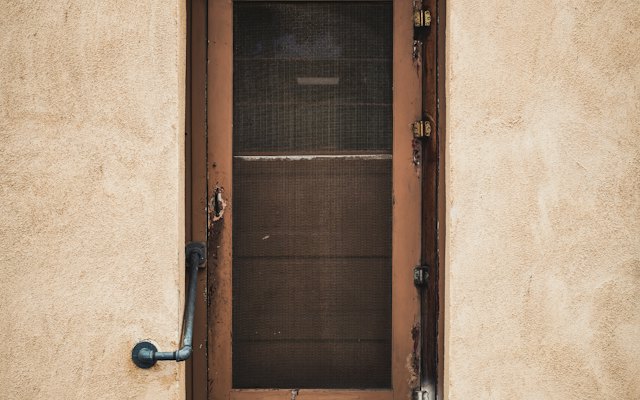
The owner asked you to look at these. Record what you did and it goes in their report.
The work is done. So is the invoice.
Lock the door and the visit is already an invoice. Bundle a family’s month in one go, or bill each visit as it happens. On your own Stripe, Wave or Venmo - House Matters takes no cut, sells no leads, and keeps unbilled and unpaid on your screen until they’re settled.




Your accounts, your money - House Matters sends the invoice and keeps the record. See pricing →
Every client, every home, one glance.
A place for every home in your care: the owner, how often you go, your rate, the last visit, and what’s due next. A client with more than one home bills as one family, so you bill them in one go.
The route and the checklist run themselves.
Set how often once per home. From then on the app tells you where to be, and what to look at when you get there.
A schedule that holds
Weekly, every two weeks, monthly, or your own days. The route builds itself and overdue homes surface first.
Snowbird pause
Season over? Pause the home - it leaves your route and your count, and comes back on the date you set.
A checklist per home
Your 24-point default seeds every new home. Edit once, applies forward. The pool house gets pool items; the condo doesn’t.
Extras and errands, billed
Storm shutters, a contractor let-in, the mail run: charged the moment they happen, at prices you set once.
Flags become work orders
A loose latch on today’s walk files itself on the home’s list with your photos, and the owner sees it.
Collections that chase themselves
Card and bank invoices remind on their own; Venmo requests get a polite nudge instead of an awkward text.
Bill a visit or a month. Get paid your way.
Every check and extra becomes a charge on its own, nothing to reconcile at month-end. Bundle a family’s month in one go and send it as a card or bank invoice, or a Venmo request with the itemized summary. Invoice night stops being a night.
Your work and the bill, by text and by email.
The moment you finish, the owner’s phone gets a text and an email with the link.
Angie’s Home Watch requested $50.00 for Beach House, Sep 9 visit. Pay by Venmo: venmo.com/…
Beach House home watch report · Sep 9
All clear: routine visit complete. View the full report
Angie’s Home Watch checked Beach House today. All clear. Report: housematters.app/r/3f9…
Your first three client homes are free. Then $19 a month.
Everything included from your first home. Past three active homes, Pro is $19 a month or $190 a year. Paused homes don’t count, there is no per-user fee, and House Matters takes no cut of what you bill.
No contract · No credit card to start · Free to run your home
| Tool | Price at one user | What the price buys |
|---|---|---|
| House Matters | $0 up to 3 client homes, then $19/mo | Everything, no per-user fee, no cut of your invoices |
| Home Watcher (HomeWatchTools) | $49/mo, or about $44/mo billed yearly | Reports, scheduling, contracts, team tools |
| NestWatch | Solo $49/mo · Pro $99 · Business $199 | AI-written reports, a homeowner portal |
| QRIDit Home Watch | Essentials $50/mo (20 clients, 3 users) · Pro from $65 | QR-code visit verification, reports |
| HomeWatch Pro (formerly HWSoft) | $34.98/mo up to 10 clients · $52.46 to 20 · $69.95, or $3,495 to buy | Occupancy tracking, client portal, records |
| Home Watch IT | From $69/mo · $109 with Method:CRM · extra users $29-$39 | Full operations, two-way accounting, route tools |
| Jobber (general trades software) | Core $49/mo month-to-month, $21-$29 prepaid yearly | Quotes, scheduling, invoicing - no home-watch report |
Prices read from each company’s own pricing page on September 9, 2026. Read the full comparison →
Plain answers, before you ask.
The questions operators ask on the first call, answered the way they’d be answered on the phone.
What is House Matters, in one paragraph?
House Matters is home watch software for small businesses. A place for every client home, a route that puts overdue first, a checklist per house with a photo on every item, the owner’s report as a link that needs no account, and the visit billed on your own Stripe, Wave or Venmo. Your first three client homes are free, then $19 a month. Works in your browser on any phone.
Does it work with no signal?
You need a connection when you tap Complete. Walk the house and take photos as normal - the app holds them - and tap Complete once you have a bar. Don’t close the app before then: the visit isn’t saved until it’s sent.
Is there GPS proof that I was there?
No. Your proof is the photo on every item, with the minute it was taken under it. The owner sees the first and last photo’s time on the report, and the minute the report was sent. Tools that geo-fence you sell that as trust; the owner who opens twelve timed photos of her own house doesn’t need a map.
Does it run on iPhone and Android?
On the App Store and Google Play, and in your browser on any phone, in the driveway. Open app.housematters.app on any phone, or get the House Matters app: housematters.app/get.
What if I hire someone?
Add a helper and they walk the checklist under their own name. Rates, invoices and payments stay yours. There is no per-user fee. There is no crew dispatch or roles system either. House Matters is built for a small business, not a fleet.
Who sees my client list?
You, and nobody else. Not other caretakers, not the owners’ families, not House Matters’ marketing. Your clients, homes, gate codes, photos and invoices belong to you. Ask, and you get a spreadsheet of all of it within a week - or the account and everything in it deleted.
Do my clients have to download anything?
No. The report and the invoice are links that open in any browser. If the owner wants more - the keys, the stays, the supply list, every bill in one place - House Matters is free for the homeowner, and your reports are already in it.
I’m on QRIDit or Home Watch IT today. Why move?
Because you pay $50-$69 a month for a crew’s tool and use a fifth of it. House Matters does the part a small business actually does every day - the route, the checklist, the photo report, the invoice - for $0 to three homes and $19 after. Bring your client list as a spreadsheet; add each home once with its checklist; your old reports stay wherever they are.
Does NHWA accreditation matter?
It matters to some owners and to nobody’s software. House Matters works the same whether you carry the CHWP letters or not. What accreditation costs and what it buys is in the accreditation guide.
Will the price go up, or my data get locked in?
Free stays free for your first three homes, Pro is $19, and your data leaves as a spreadsheet on request. If you go back to Free, everything you built stays - clients, homes, visit history, invoices - and three active homes is the line again.
Guides and templates for home watchers.
All guides and templates →Home watch visit report
The full report, on the page, ready to copy.
GuideHome watch checklist (2026)
What the pros check on every visit, room by room.
GuideHome watch pricing: what to charge
Per-visit, monthly and add-on pricing with the math.
GuideBilling home watch clients
The four billing models, and which one to pick.
TemplateKey holder agreement
The one document every owner should sign.
GuideHome watch business insurance
GL, E&O and the dishonesty bond, with real numbers.
TemplateHome watch invoice
Every visit dated, every extra on its own line.
TemplateHome watch service agreement
What a visit covers, the extras, the emergency limit.
From signup to paid, in four steps.
Sign up free
Your name or your business name. Pick Home watch & checks. No credit card to start.
Add your homes
Owner, how often you go, your rate, and a checklist per home. Invite the owner if you want them looped in.
Do the work
Walk it - checklist, photos, flags. Charges build themselves as you go.
Send the invoice
A visit or a whole month, bundled per family. Card, bank, or Venmo.
Watch over homes for a living? Start today.
Free to set up your homes and send your first report. Be up and running before your next round.
Start freeOn the App Store and Google Play, and in your browser on any phone, in the driveway.
Download on the App Store Get it on Google Play
House Matters is also for cleaners and handymen, and free for the people who own the home to run it.